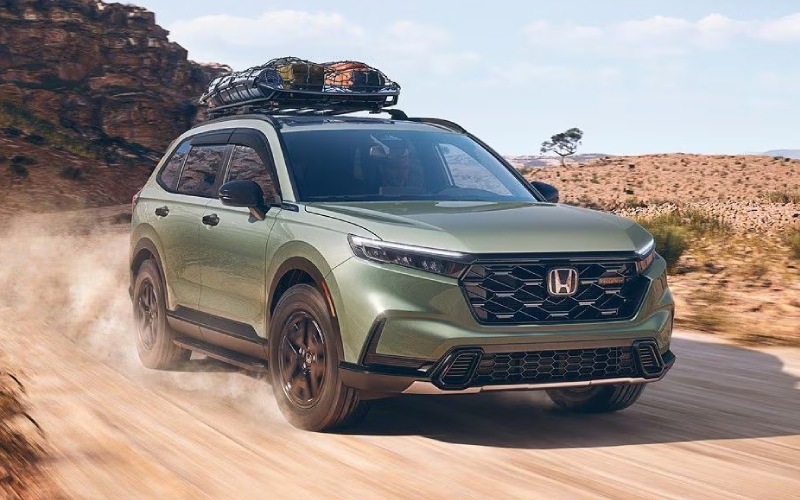
Honda of Oakland - Is Wireless Apple CarPlay® Compatibility Standard on the 2026 Honda CR-V Hybrid in Oakland, CA?
Wireless Apple CarPlay® compatibility comes standard across the 2026 Honda CR-V Hybrid lineup, and that matters for Oakland, CA commuters who want simple, cord-free connectivity that starts up the moment you get in and drive. At Honda of Oakland, we see how this feature streamlines every errand, school drop-off, and Bay Bridge commute by keeping your favorite iPhone apps front and center without the clutter of cables.
Whether you are considering the Sport Hybrid, Sport-L Hybrid, TrailSport Hybrid, or Sport Touring Hybrid, every 2026 CR-V Hybrid includes wireless Apple CarPlay® compatibility as part of a modern, driver-focused cockpit. Pair that with the SUV’s smooth, responsive hybrid system and the available Real Time AWD™ capability, and you have a confident, connected daily driver that feels tailor-made for Oakland’s hills and freeway merges.
Because wireless Apple CarPlay® runs through the vehicle’s built-in system, you can use familiar apps for maps, podcasts, messaging, and more with Siri voice control, helping you keep your hands on the wheel and eyes on the road. The 9-inch color touch-screen and steering-wheel controls make it intuitive, while standard wireless charging across the CR-V lineup keeps your phone powered during longer East Bay drives.
Getting set up is quick. Here is how most shoppers pair an iPhone on day one and start using Apple CarPlay® wirelessly.
- Start the vehicle: Park safely, power on the CR-V Hybrid, and make sure the infotainment screen is on.
- Enable Bluetooth and Wi-Fi: On your iPhone, confirm Bluetooth and Wi-Fi are switched on.
- Open the Bluetooth menu: On the CR-V screen, open Settings, then navigate to the phone connection menu.
- Select your iPhone: Choose your device name from the on-screen list and confirm the pairing code on both screens.
- Allow CarPlay: When prompted on your iPhone, allow Apple CarPlay® and enable “Use CarPlay Wirelessly.”
- Customize your apps: Arrange navigation, audio, and communication apps from your iPhone’s CarPlay settings as you prefer.
After the first pairing, your CR-V Hybrid and iPhone reconnect automatically when you start the vehicle, so your route, playlist, and calendar are ready before you leave your driveway. For our customers who also use Android devices, wireless Android Auto™ compatibility is standard on every 2026 CR-V as well.
Beyond Apple CarPlay®, the CR-V Hybrid’s technology suite is built to reduce daily friction and elevate comfort. These highlights show how the cabin supports your connected life in Oakland traffic and weekend getaways alike.
- 9-inch Color Touch-Screen: Standard across all trims for clear maps, easy menus, and responsive touch controls.
- Wireless Phone Charger: Standard on all trims, so you can leave the charging cable at home.
- Wireless Android Auto™ Compatibility: Standard across the lineup for households with mixed devices.
- Google built-in: Standard on Sport Touring Hybrid, offering native Google Maps, Google Assistant, and more.
- HondaLink® Subscription Services: Standard on Sport Touring Hybrid for connected ownership features.
- Real Time AWD™: Standard on TrailSport Hybrid and Sport Touring Hybrid, available on other hybrid trims for added confidence when the weather turns or you explore outside the city.
- Honda Sensing®: Standard, providing driver-assistive and safety technologies designed to support your awareness on every trip.
If you are trying to decide which CR-V Hybrid trim matches your tech preferences, we can help you compare in person. The Sport Touring Hybrid layers in premium audio and built-in Google features, while Sport, Sport-L, and TrailSport Hybrid trims deliver the same core wireless smartphone experience that shoppers ask about most.
Ready to see wireless Apple CarPlay® in action? Visit Honda of Oakland at 3330 Broadway in Oakland, CA for a personalized walkthrough and a test drive on the routes you know best. Our team will pair your phone, demonstrate voice commands, and help you explore navigation, audio, and message features so you leave confident and connected.
Frequently Asked Questions:
Is Wireless Apple CarPlay® compatibility standard on all 2026 Honda CR-V Hybrid trims?
Yes. Every 2026 CR-V Hybrid trim includes wireless Apple CarPlay® compatibility, so you can pair your iPhone without plugging in a cable.
Do I need a cord to charge my phone while using Apple CarPlay®?
No. A wireless phone charger is standard on all 2026 CR-V trims. You can also use a cable if you prefer, but it is not required for CarPlay.
Does Wireless Android Auto™ work the same way in the CR-V Hybrid?
Yes. Wireless Android Auto™ compatibility is standard across the lineup. Setup is similar and reconnects automatically after the first pairing.
Which CR-V Hybrid trim includes Google built-in?
Google built-in is standard on the Sport Touring Hybrid. If you choose another hybrid trim, you still get wireless Apple CarPlay® and wireless Android Auto™ compatibility for seamless smartphone integration.
Will Apple CarPlay® use my phone’s data plan?
Yes. Apple CarPlay® uses your iPhone’s data plan for features such as streaming, messaging, and map updates. Your carrier data usage will apply.
We are here to help you compare trims, pair your phone, and tailor settings to your everyday driving. Stop by Honda of Oakland to experience the 2026 Honda CR-V Hybrid and see how wireless Apple CarPlay® can simplify every trip across the Bay.